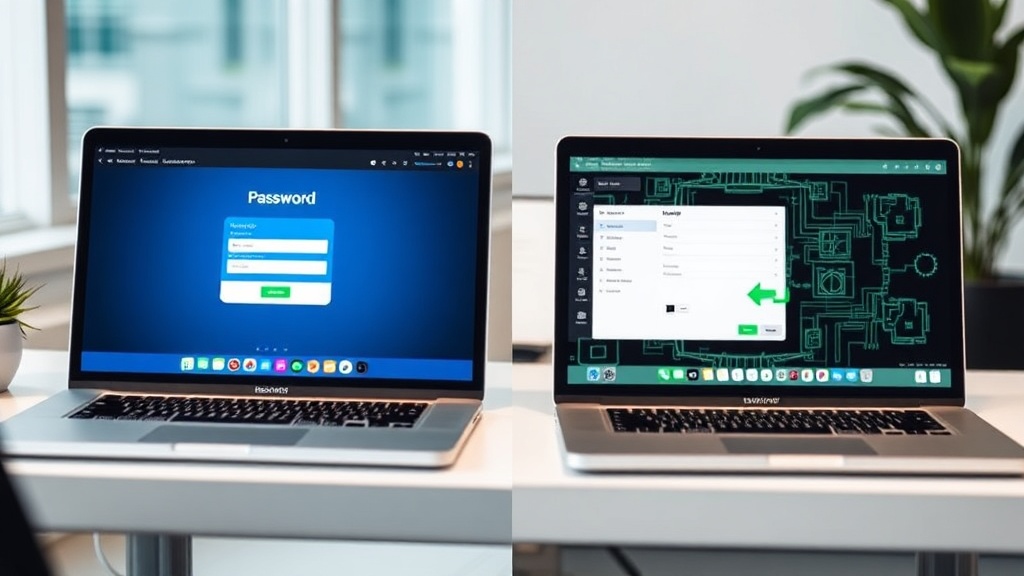
# 1Password vs Bitwarden (2026): Which Password Manager Should Your Business Actually Use?
Your team's passwords are a mess. I know this because *every* team's passwords are a mess.
Shared logins on sticky notes. "password123" protecting your Stripe dashboard. That one contractor who still has access to everything six months after the project ended.
A business password manager fixes all of this. The question is which one.
I've used both 1Password and Bitwarden across client engagements and my own stack, and the answer isn't as simple as "just pick the cheaper one." Here's the real breakdown.
**The short version:**
- Choose **1Password** if you want the most polished experience and your team includes people who will actively resist using a password manager unless it's dead simple.
- Choose **Bitwarden** if you're cost-conscious, technically capable, or philosophically committed to open source.
For most small businesses under 20 people, **1Password is the better pick** — not because it's technically superior, but because the UX gap means your team will actually use it. A password manager nobody uses is worse than no password manager at all.
## Pricing (verified March 2026)
This is where it gets interesting.
**1Password:**
- Teams Starter Pack: $19.95/month (up to 10 users)
- Business: $7.99/user/month (billed annually)
- Enterprise: Custom pricing
**Bitwarden:**
- Free: $0 (unlimited users, but very limited admin controls)
- Teams: $4/user/month
- Enterprise: $6/user/month
**The math:** For a 10-person team, you're looking at roughly $19.95/month for 1Password's starter pack vs. $40/month for Bitwarden Teams. 1Password actually wins on price for small teams — which surprises people.
Once you go past 10 users, the script flips. A 25-person team on 1Password Business runs $199.75/month. That same team on Bitwarden Teams costs $100/month. At scale, Bitwarden saves you real money.
## Security: Both Are Solid, But Different Philosophies
Let me be clear: both tools will protect your passwords far better than whatever you're doing right now. But their approaches differ.
**1Password** uses a dual-key system — your master password plus a Secret Key that's generated on your device. This means even if 1Password's servers got breached (they haven't), attackers couldn't decrypt your vault without that Secret Key. It's clever engineering.
**Bitwarden** is open source. The entire codebase is public, regularly audited by third parties, and you can self-host it if you want. For security-minded teams, the transparency argument is powerful — you don't have to *trust* that their encryption works, you can *verify* it.
My take: 1Password's Secret Key approach is slightly more robust against server-side breaches. Bitwarden's open-source model means more eyes on the code. Both use AES-256 encryption. Neither is a wrong choice here.
## The UX Gap Is Real
This is where I have strong opinions.
**1Password's interface is genuinely good.** The browser extension works smoothly. Autofill is reliable. The desktop app is clean. Watchtower (their security audit feature) surfaces weak and reused passwords without being annoying about it. Setting up new team members takes about 3 minutes.
**Bitwarden works, but it feels like open-source software.** The browser extension occasionally hiccups. The UI is functional but not pretty. Auto-fill sometimes grabs the wrong field. None of these are dealbreakers for technical users — but for your marketing manager or accountant who just wants things to work, these friction points add up.
I've watched non-technical team members abandon Bitwarden within a week because the autofill wasn't reliable enough. I've never seen that happen with 1Password.
## Admin Controls and Team Management
**1Password Business** gives you:
- Custom groups and vaults (separate client credentials from internal tools)
- Activity logs showing who accessed what
- Integration with Okta, Azure AD, OneLogin for SSO
- Travel Mode (hides sensitive vaults when crossing borders)
- Firewall rules to block access from certain countries
**Bitwarden Teams/Enterprise** gives you:
- Shared collections and user groups
- Event logs and audit trails
- SSO with SAML 2.0 (Enterprise only)
- Self-hosting option (huge for compliance-heavy industries)
- Directory sync with AD, LDAP, Azure, Okta
Both cover the basics well. 1Password's admin console is more intuitive. Bitwarden's self-hosting option is a legitimate differentiator if you're in healthcare, finance, or government and need data to stay on your own servers.
## Self-Hosting: Bitwarden's Ace Card
If regulatory compliance requires you to keep credentials on your own infrastructure, Bitwarden is your only real option here. Their self-hosted deployment runs on Docker and is reasonably straightforward to set up if you have someone on staff who can manage it.
1Password is cloud-only. Full stop.
For 90% of small businesses, cloud hosting is fine. But for that 10% with strict data residency requirements, this is a non-negotiable.
## Migration and Onboarding
Switching password managers is one of those things that sounds terrible but is actually manageable.
**Both tools import from:** Chrome, Firefox, Safari, LastPass, Dashlane, KeePass, and CSV files. 1Password's import is slightly smoother — Bitwarden sometimes requires you to massage your CSV format to match their template.
**Onboarding a team:**
- 1Password: Invite via email → they set up account → you assign vaults. The whole thing takes 5 minutes per person.
- Bitwarden: Invite via email → they create account → you assign collections. Similar flow, but the setup wizard isn't as hand-holdy.
## What About LastPass?
I know you're wondering. After the 2022 breach, I stopped recommending LastPass for business use. They've made improvements since, but the trust damage was significant. If you're currently on LastPass, migrating to either 1Password or Bitwarden is worth the afternoon of work.
## My Recommendation
**Choose 1Password if:**
- Your team is under 10 people (the Starter Pack is hard to beat)
- Your team includes non-technical users
- You want the smoothest onboarding experience
- You value polish and UX over cost savings at scale
- You need Travel Mode for international team members
**Choose Bitwarden if:**
- Your team is over 20 people and budget matters
- You need self-hosting for compliance reasons
- Your team is technically comfortable
- You prefer open-source transparency
- You want a solid free tier for personal use alongside business
**My actual pick for most readers:** 1Password. Not because Bitwarden is bad — it's genuinely excellent software. But password managers only work if your whole team actually uses them. 1Password's UX advantage means higher adoption rates, and a password manager with 100% adoption beats a cheaper one with 60% adoption every single time.
The best security tool is the one people don't find excuses to avoid.
---
*Last updated: March 2026. Pricing verified directly from vendor websites. I pay for both tools — neither company sponsored this comparison.*
